
Description
4-Week Creative AI Program for Children
Turn Ideas, Drawings and Imagination into Pictures, Stories and Animations
What if your child could draw something on paper…
…and then watch it become a colorful digital picture?
What if that picture could become a short animation?
What if your child could imagine a character, animal, vehicle, house or fantasy world — and bring it to life with AI?
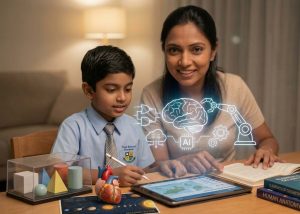
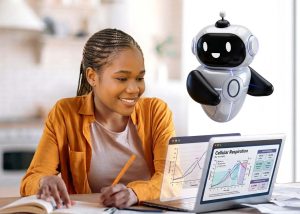
AI Play & Create for Kids is a practical, creative and age-appropriate 4-week program designed especially for young children.
Through eight hands-on workshops, children explore artificial intelligence through drawing, storytelling, images, animation, games, quizzes and imagination.
No programming.
No technical lectures.
No complicated AI terminology.
Just creativity, exploration and guided learning.
Quick Answer
What is AI Play & Create for Kids?
AI Play & Create for Kids is an 8-workshop creative AI program for children ages 4–6 (Early Learners) and ages 7–9 (Junior Primary).
Children learn how AI can help them:
- turn ideas into pictures
- transform paper drawings into digital artwork
- animate their creations
- create characters
- build short stories
- explore simple learning activities
- make quizzes and games
- understand that AI can sometimes be wrong
- learn basic online and AI safety
The emphasis is on creativity, curiosity and responsible use.
Program Details
Program: AI Play & Create for Kids
Early Learners (ages 4–6) — Preschool / Kindergarten / Foundation
Junior Primary (ages 7–9) — Junior Primary
Duration: 4 Weeks
Workshops: 8 Sessions
Session Duration: 1.5 Hours
Total Learning Time: 12 Hours
Format: In-Person
Location: North Ghubra, Muscat
Level: Beginner
Language: Arabic / English support as required
Certificate: AMWAJ Digital Participation Certificate
Reserve Your Child’s Seat — 60 OMR
Why This Program Is Different
Young children should not learn AI the same way teenagers or adults do.
At this age, the best introduction to AI is through:
seeing → creating → experimenting → imagining → discussing
Children do not need to learn technical prompting terminology.
They need to experience what AI can do in a fun, guided and safe environment.
That is why this program focuses on:
- creativity
- visual learning
- imagination
- storytelling
- guided experimentation
- safe technology habits
What Children Will Create
During the program, children may create:
- colorful digital versions of their own paper drawings
- cartoon characters
- fantasy animals
- imaginary vehicles
- dream houses
- superheroes
- short illustrated stories
- animated versions of their drawings
- simple AI-generated videos
- interactive quizzes
- picture-based learning games
- personalized story characters
- simple digital posters
Each child’s work is based on their own imagination and ideas.
The 8 Workshops
Workshop 1 — My First AI Adventure
What Is AI?
Children are introduced to AI through simple demonstrations and games.
They learn that AI can:
- answer questions
- create pictures
- help with stories
- make suggestions
- sometimes make mistakes
Activities may include:
- “What do you think AI can do?”
- simple question-and-answer games
- creating a funny imaginary animal
- choosing colors, shapes and styles
The goal is curiosity, not technical understanding.
Workshop 2 — My Drawing Comes Alive
Children create a drawing on paper.
Then we use AI tools to transform that drawing into a polished, colorful digital image.
Examples:
- a hand-drawn dinosaur becomes a colorful cartoon dinosaur
- a house becomes a fantasy castle
- a car becomes a futuristic vehicle
- a pet drawing becomes a story character
Children compare:
My Original Drawing → My AI-Enhanced Creation
This is usually one of the most exciting activities for younger children.
Workshop 3 — Make My Picture Move
Children take one of their pictures and turn it into a simple animation.
They explore:
- movement
- facial expressions
- backgrounds
- simple actions
- short animated scenes
For example:
“My dinosaur walks through a jungle.”
“My cat waves at the camera.”
“My rocket flies to the moon.”
The emphasis is on imagination and storytelling.
Workshop 4 — Create Your Own Character
Each child invents an original character.
It could be:
- superhero
- animal
- robot
- explorer
- magical creature
- funny monster
Children choose:
- name
- colors
- personality
- clothes
- powers
- favorite food
- home
AI then helps visualize the character.
Children learn how their descriptions change the result.
Workshop 5 — Tell Me a Story
Children create a short story using their own character.
They decide:
- Who is the hero?
- Where does the story happen?
- What problem happens?
- What happens next?
- How does the story end?
AI helps turn their ideas into a simple illustrated story.
The child remains the storyteller.
AI helps bring the idea to life.
Workshop 6 — Learning Games with AI
Children discover that AI can also be used for learning.
Activities may include:
- simple maths questions
- spelling games
- vocabulary practice
- animal quizzes
- geography questions
- picture identification
- memory games
The goal is to show that technology can be useful for both fun and learning.
Workshop 7 — AI Movie Studio
Children combine:
- characters
- pictures
- animations
- story ideas
to create a very short AI-assisted video scene.
Examples:
“My superhero saves a kitten.”
“My spaceship lands on another planet.”
“My dinosaur visits Muscat.”
“My character goes on an adventure.”
Children experience the complete creative process:
Idea → Picture → Scene → Animation
Workshop 8 — My AI Creation Day
The final workshop brings everything together.
Each child creates a small final project.
Possible projects include:
- illustrated story
- animated character
- mini video
- fantasy world
- digital poster
- storybook page
- creative slideshow
Children also learn three simple AI rules:
1. AI Can Be Wrong
We should not believe everything AI tells us.
2. Ask an Adult
If something looks strange, confusing or inappropriate, ask a parent or teacher.
3. Keep Private Information Private
Never give AI:
- full name
- home address
- school details
- passwords
- phone numbers
- private family information
The program ends with a small presentation of the children’s creations.
Designed for Ages 4–9
The program is adapted according to age.
Ages 4–6
Activities are primarily:
- visual
- verbal
- guided
- drawing-based
- parent/instructor assisted
Children are not expected to type long prompts.
Ages 7–9
Children can participate more independently with:
- simple typing
- short descriptions
- choosing styles
- asking questions
- creating stories
- building simple prompts
Parent-Guided Learning
For younger children, parents may be invited to participate in selected activities.
This helps parents understand:
- what their child is creating
- how AI tools are being used
- how to continue safe AI activities at home
- what level of independence is appropriate for their child
The program encourages shared exploration rather than unsupervised AI use.
Safety Comes First
Children are introduced to AI in a controlled and age-appropriate way.
They are taught:
- not to share private information
- not to trust every AI answer
- to ask an adult when unsure
- to use technology respectfully
- to balance screen activities with real-world creativity
AI is presented as a creative tool, not a replacement for parents, teachers or real-world play.
What Children Receive
Each participant receives:
- 8 hands-on workshops
- 12 hours of guided activities
- digital copies of selected creations
- AI-assisted artwork
- stories and animations
- final creative project
- AMWAJ Digital Participation Certificate
What to Bring
Depending on the activity:
- tablet or laptop
- drawing paper
- pencils
- coloring pencils or markers
- imagination
Specific requirements will be shared before each session.
Who Should Join?
This program is ideal for children who enjoy:
- drawing
- stories
- cartoons
- animals
- animation
- technology
- creative games
- inventing characters
- asking questions
- exploring new things
No previous AI experience is required.
Frequently Asked Questions
Is this a coding course?
No.
There is no programming or technical coding content.
The program focuses on creativity, imagination and age-appropriate AI exploration.
Is this suitable for a 5-year-old?
Yes.
Activities for younger children are highly visual and instructor/parent-guided.
Can an 8-year-old participate more independently?
Yes.
Older children can handle simple typing, descriptions and guided AI interactions themselves.
Do children need their own laptop?
A laptop or tablet is recommended, but device arrangements can depend on the class setup.
Will children use ChatGPT?
Some activities may use ChatGPT or other suitable AI tools, depending on the activity and age.
The focus is on the activity, not on teaching one specific platform.
Will children generate images and videos?
Yes.
Children will learn how their own ideas and drawings can be transformed into digital images and simple animations.
Can they animate their own paper drawings?
Yes.
One of the program activities involves transforming the child’s original drawing into a digital image and then exploring simple animation.
Is AI safe for children?
AI should be used with appropriate adult supervision.
That is why safety, privacy and responsible use are built into the program.
Will my child receive a certificate?
Yes.
Children who complete the program receive an AMWAJ Digital Participation Certificate.
Let Your Child Create with AI
Children already live in a world where AI will be part of school, creativity and everyday technology.
The goal is not to make young children dependent on AI.
The goal is to introduce it in a way that encourages:
curiosity + creativity + safety + imagination
AI Play & Create for Kids
4 Weeks | 8 Workshops | Ages 4–9 | North Ghubra
Reserve Your Child’s Seat — 60 OMR
AMWAJ AI & Digital Transformation
Seize The Wave